
Perspective · Seagate, September 2024
Seagate’s data center workloads, served by hybrid and hard drive storage
Authorized Reseller · Independent Architecture Advice
Hard drives handle workloads that flash should not, and flash handles workloads that hard drives should not. Here is what happened when Seagate applied that to its own data centers.
Dropping from hours to minutes after the hybrid deployment
The majority of Seagate’s storage capacity is provided by Exos hard drives
Alongside 40% better load times and 20% faster queries
Flash media costs more than six times that of hard drive media per terabyte
Which factors drove Seagate’s own storage architecture decisions?
For data center architects and operators, several key factors drive storage architecture decisions: high availability and resiliency, performance, capacity, supportability and overall cost. These elements ensure that the storage infrastructure can handle diverse and demanding workloads efficiently and economically.
Seagate’s data center requirements were shaped by clear goals addressing the company’s complex operations, which span research, design, manufacturing and a diverse market presence encompassing B2B and B2C channels. Recognizing the increasing volume of data generated by IoT devices, automation and digitalization in manufacturing, Seagate set out to cost-effectively boost its storage capacity and performance — vital for harnessing AI and data analytics.
The company’s wide range of critical operations are anchored by Enterprise Resource Planning (ERP), central to operations from accounting to supply chain management; real-time databases, notably a 350-terabyte database crucial for tracking every manufacturing, testing and technical detail of every individual unit Seagate has shipped; analytics workloads; and virtual machines and file services essential for day-to-day IT operations and application hosting.
Analysts have noted that the vast majority of the data associated with enterprise workloads requires mass capacity and nominal-time data transfer, which are well-suited to the scale and TCO advantages afforded by hard drives.
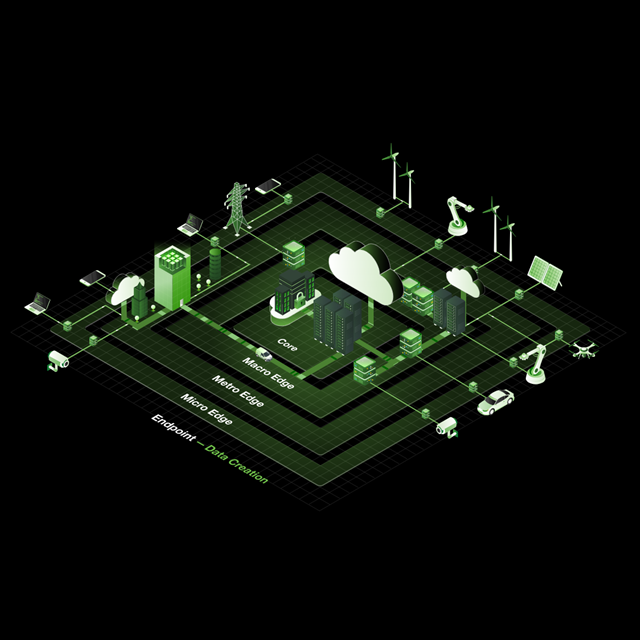

How do you design a hybrid storage architecture for mixed workloads?
Cloud, hyperscale and large enterprise storage architects tend to select the most appropriate blend of storage types to optimize cost, capacity and performance. Advanced hybrid storage arrays are a great fit for that goal.
SSDs are ideal for high-performance, read-intensive workloads requiring ultra real-time data transfer — a very small proportion of workloads — while hard drives provide the necessary access to mass data and serve the overwhelming majority of workloads.
Hard drives handle workloads that flash should not, and flash handles workloads that hard drives should not. Deploying advanced hybrid systems can simplify the architecture, ensuring each storage medium is utilized when it is most needed.
The balance between performance and capacity is paramount. While previously deployed all-flash arrays offered high performance, the holistic needs of enterprises also require voluminous data capacities. Hybrid storage systems adeptly bridge this gap, delivering high-performance metrics without sacrificing the ability to store petabytes of data economically.
What did Seagate deploy: 17 hybrid arrays and 26 Exos systems?
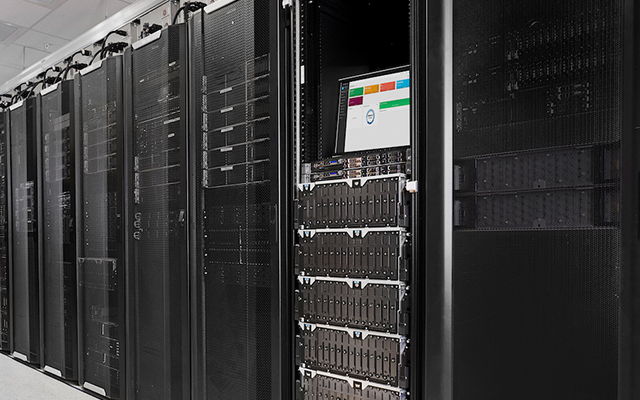
Seagate’s data centers use a mix of storage solutions tailored to meet specific operational needs.
17 Hybrid Storage Systems
Previously, Seagate addressed some storage performance demands using all-flash systems, which provided high performance but at significant cost — flash media costs more than six times that of hard drive media per terabyte. Seeking comparable performance with future scalability, Seagate deployed 17 new hybrid storage systems.
26 Exos Hard Drive Systems
In addition to the hybrid arrays, Seagate employs 26 Exos hard drive storage systems for specific functions such as security camera data storage, backup targets and certification log retention.
Over 50 Petabytes on Exos
The majority of Seagate’s storage capacity, over 50 petabytes, is provided by Seagate Exos hard drives, integrated into both the hybrid systems and the purely disk-based Exos storage systems.
4.6PB Plus a Thin Flash Layer
Each hybrid array provides 4.6 petabytes of usable hard drive space plus a thin flash layer. Intelligent caching dynamically optimizes data management among the varied media, adjusting to changing workloads.
How do hard drives and flash work together in a hybrid array?
Hard drives and SSDs complement each other, with SSDs handling high-speed, low-latency requirements and hard drives managing large-scale, high-capacity storage needs. Generally, SSDs are ideal for block and file types that require very low latency of less than 1 millisecond. Hard drives are appropriate for a wider range of file types — block, file and object — especially where high capacity is essential, and are best suited for applications with moderate to high latency requirements, ranging from 1 to over 100 milliseconds.
Like most hybrid storage systems, the arrays incorporate hard disk drives as primary storage, plus a larger-than-usual DRAM cache and a solid-state tier that serves as a secondary cache. The larger DRAM cache enables more data to be stored close to the CPUs, which boosts performance and helps the effectiveness of data placement strategies. Most of the system’s data resides on hard drives, the foundation for mass storage capabilities.
By intelligently coalescing data in the write cache and writing it out sequentially, these systems ensure higher write efficiencies and minimize the impact on flash media endurance. System metadata is kept in DRAM using trie data structures for fast, efficient access.
Algorithms manage data placement intelligently across a tiered storage hierarchy, using metadata tagging to monitor access frequencies, block sizes, read/write frequencies and associated application I/O profiles. The system then prefetches data efficiently, leading to high read cache hit rates.
“Broadly across workloads, the IT team has seen significant improvements across several performance metrics. Backup times improved by 90%, dropping from hours to minutes. Load times improved 40%. Transaction rates increased 35%. Query speeds are more than 20% faster.”
What did Seagate measure after consolidating onto hybrid arrays?
Cost efficiency and productivity gains that provide annual financial benefits per petabyte of storage capacity.
CapEx and OpEx Nearly Halved
By consolidating storage arrays, Seagate significantly reduced both capital and operational expenditures, nearly halving overall expenses, while enhancing IT operational capabilities and improving resilience.
Performance Beyond All-Flash
Benchmarking shows the new hybrid systems surpassing the performance of previous all-flash arrays at a lower cost, while providing substantial capacity growth across large databases, analytics, file services and VMware workloads.
Simplified Architecture
Seagate moved from multiple all-flash arrays to a single hybrid system for its crucial 350TB database, simplifying the architecture and reducing the complexity of support and maintenance.
Room to Scale
A single hybrid system can manage up to 17.287PB of effective capacity, and capacity scales further as Seagate deploys Exos hard drives with Mozaic 3+ technology offering 30TB+ per drive and 3TB+ per platter.
Results measured by Seagate's own IT organization on its internal workloads, as published by Seagate Technology in Seagate's data center workloads served entirely by hybrid and hard drive storage systems, September 19, 2024.
Which reports cover hybrid storage TCO and workload placement?
The analysis and architecture patterns behind this deployment.
Hybrid and hard drive storage systems: frequently asked questions
What Seagate deployed, why, and what it measured afterwards.
Seagate deployed 17 hybrid storage systems plus 26 Exos hard drive storage systems. The majority of its storage capacity, over 50 petabytes, is provided by Seagate Exos hard drives integrated into both the hybrid systems and the purely disk-based Exos storage systems.
Previously Seagate addressed some storage performance demands using all-flash systems, which provided high performance but at significant cost — flash media costs more than six times that of hard drive media per terabyte. Seagate sought a more cost-effective solution that could offer comparable performance and the scalability needed for future growth.
Backup times improved by 90%, dropping from hours to minutes. Load times improved 40%. Transaction rates increased 35%. Query speeds are more than 20% faster. Benchmarking shows the hybrid systems surpassing the performance of the previous all-flash arrays at a lower cost.
By consolidating storage arrays, Seagate significantly reduced both capital expenditures and operational expenditures, nearly halving overall expenses, while enhancing IT operational capabilities, simplifying management and improving resilience.
SSDs are ideal for block and file types requiring very low latency of less than 1 millisecond, making them suitable for very high-performance read-intensive workloads — a very small proportion of workloads. Hard drives are appropriate for a wider range of file types including block, file and object, especially where high capacity is essential, and suit applications with latency requirements from 1 to over 100 milliseconds.
The arrays use hard disk drives as primary storage plus a larger-than-usual DRAM cache and a solid-state secondary cache. Algorithms manage data placement across the tiered hierarchy using metadata tagging that monitors access frequencies, block sizes, read/write frequencies and application I/O profiles, then prefetch data to achieve high read cache hit rates. Writes are coalesced and written out sequentially to improve write efficiency and protect flash endurance.
A single hybrid system can manage up to 17.287PB of effective capacity, and capacity scales further as newer Exos hard drives with Mozaic 3+ technology offer 30TB+ per drive and 3TB+ per platter.
Yes. Our solution architects will profile your workloads, size the flash and hard drive tiers accordingly and model the TCO against your current design. Call 844-356-5142 or request an architecture review online.
Design a hybrid storage architecture with BlueAlly
Our storage specialists are here to help you find the right solution for your data challenges. Talk to a BlueAlly solution architect about designing a hybrid storage architecture for your workloads.
No-cost architecture assessment
Cost-per-terabyte and TCO modelling for your workload mix
Right-sized flash and hard drive tiering
Flexible procurement — CapEx or OpEx
Talk to an Expert
with a BlueAlly Solution Architect